

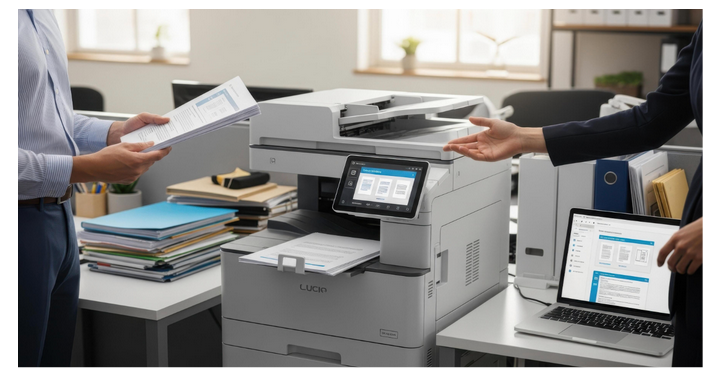
In today’s fast-moving business environment, modern offices rely heavily on efficient document handling systems. Whether it is printing contracts, scanning reports, or producing marketing materials, photocopiers remain essential tools for daily operations. Choosing the right machine is no longer a simple decision because today’s photocopiers come with advanced features such as wireless connectivity, cloud integration, and high-speed multifunction capabilities.
This guide explains the best photocopier sales and purchasing strategies for modern offices, helping businesses make informed decisions based on performance, cost, and long-term value.
Why Choosing the Right Photocopier Matters
A photocopier is more than just an office machine. It directly impacts productivity, workflow efficiency, and operational costs. A poor-quality machine can slow down processes, increase downtime, and lead to higher maintenance expenses.
On the other hand, a well-chosen photocopier improves office efficiency by:
- Speeding up document processing
- Reducing printing delays
- Improving document quality
- Supporting multiple users simultaneously
- Integrating with digital systems
For modern offices, where time and accuracy are critical, investing in the right photocopier is a strategic decision.
Understanding Photocopier Types for Office Use
Before purchasing, it is important to understand the different types of photocopiers available.
Multifunction Photocopiers
These machines combine printing, scanning, copying, and sometimes faxing into one device. They are ideal for modern offices because they save space and improve efficiency.
Monochrome Photocopiers
These machines print in black and white only. They are suitable for offices with high-volume document printing but low demand for colour output.
Colour Photocopiers
Colour machines are essential for businesses that produce presentations, marketing materials, and branded documents.
High-Volume Photocopiers
Designed for large organizations, these machines handle heavy workloads and offer high-speed printing with large paper capacity.
Compact Office Photocopiers
Ideal for small businesses, these machines offer essential features in a smaller footprint.
Key Factors to Consider When Buying a Photocopier
Print Speed
Measured in pages per minute, print speed determines how quickly a machine can handle large tasks. Fast print speeds are essential for busy offices.
Monthly Duty Cycle
This indicates how many pages a machine can handle per month. Choosing the right duty cycle ensures the photocopier can handle business demand without overloading.
Connectivity Options
Modern offices require flexible connectivity such as:
- Wi-Fi printing
- Ethernet networking
- USB connections
- Cloud printing integration
- Mobile printing support
Paper Handling Capacity
Larger paper trays reduce the need for frequent refilling and improve productivity. Buy Office Photocopier options at Camelott allow businesses to invest in high-quality machines.
Security Features
Office data is often sensitive. Look for features like:
- User authentication
- Secure print release
- Data encryption
- Access control settings
Running Costs
Beyond the purchase price, consider toner usage, maintenance, and energy consumption.
Benefits of Buying a Photocopier for Office Use
Full Ownership
Buying gives businesses complete ownership of the machine, with no ongoing rental obligations.
Long-Term Cost Efficiency
For stable businesses with consistent printing needs, purchasing can be more economical over time.
No Contract Limitations
Unlike leasing, ownership means no contractual restrictions or monthly commitments.
Custom Usage
Businesses can configure and use the machine without restrictions imposed by service providers.
Where to Buy Photocopiers
Authorized Dealers
Purchasing from authorized dealers ensures genuine products, warranty support, and reliable service.
Online Office Equipment Stores
Many businesses now buy photocopiers online due to competitive pricing and wider product selection.
Direct from Manufacturers
Buying directly from manufacturers can provide access to the latest models and official support.
Office Equipment Suppliers
Local suppliers often provide installation, training, and after-sales service.
Best Practices for Choosing the Right Photocopier
Analyze Business Needs
Before purchasing, evaluate:
- Number of employees
- Monthly print volume
- Colour vs black-and-white requirements
- Document types used
Consider Future Growth
Choose a machine that can handle increased workload as the business expands.
Compare Multiple Models
Do not settle for the first option. Compare features, prices, and performance.
Check Service and Warranty
Reliable after-sales service is essential for minimizing downtime.
Evaluate Total Cost of Ownership
Consider not just the purchase price but also maintenance, toner, and energy costs.
Common Mistakes to Avoid When Purchasing
Buying Based Only on Price
Cheap machines may lack durability and performance, leading to higher long-term costs.
Ignoring Print Volume Requirements
Choosing a low-capacity machine for heavy workloads can cause frequent breakdowns.
Overbuying Advanced Features
Some offices pay for features they do not actually need.
Not Considering Maintenance
Regular servicing is essential for long-term performance.
Photocopier Features That Improve Office Productivity
Duplex Printing
Automatic double-sided printing reduces paper usage and speeds up document production.
High-Speed Scanning
Allows quick digital conversion of documents for email and storage.
Cloud Integration
Enables employees to print or scan documents directly from cloud platforms.
Mobile Printing
Supports printing directly from smartphones and tablets.
Automatic Document Feeders
Useful for scanning or copying multiple pages quickly.
Industry Applications of Photocopiers
Corporate Offices
Used for reports, contracts, presentations, and internal communication.
Educational Institutions
Schools and universities rely on photocopiers for study materials and exams.
Healthcare Sector
Hospitals use photocopiers for patient records and administrative documents.
Legal Firms
Law offices require secure and high-quality document handling.
Retail and Business Services
Used for invoices, receipts, and promotional materials.
Eco-Friendly Considerations in Photocopier Purchasing
Modern photocopiers include environmentally friendly features such as:
- Energy-saving modes
- Reduced toner consumption
- Recycled cartridge compatibility
- Automatic sleep functions
Choosing eco-efficient models helps reduce operational costs and supports sustainability goals.
Maintenance and Long-Term Care
Proper maintenance ensures long-lasting performance:
- Regular cleaning of internal components
- Timely toner replacement
- Software updates
- Professional servicing checks
Neglecting maintenance can lead to poor print quality and frequent breakdowns.
The best photocopier sales and purchasing guide for modern offices emphasizes careful planning, feature evaluation, and long-term thinking. A photocopier is a critical office investment that directly impacts productivity and operational efficiency.
Whether a business is small, growing, or fully established, selecting the right machine requires understanding print needs, comparing available models, and considering total ownership costs. Modern photocopiers offer advanced features that go beyond simple printing, including scanning, cloud integration, and secure document handling.
By making an informed purchasing decision, businesses can ensure reliable performance, cost efficiency, and improved workflow for years to come.